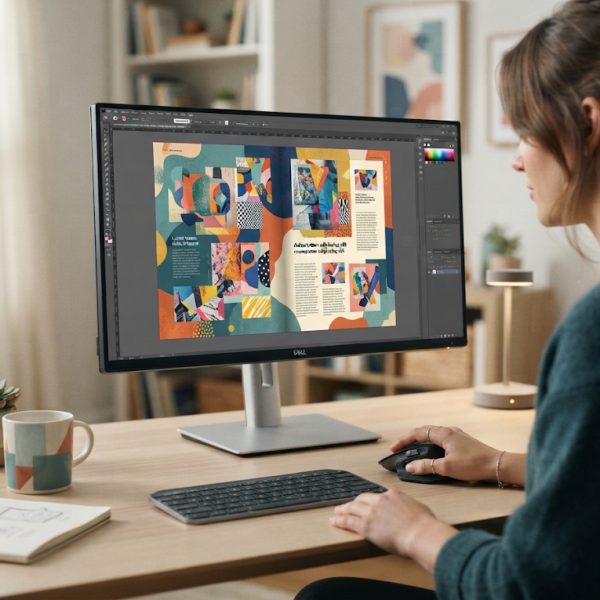
When working on complex multilingual layouts in InDesign, even the most experienced designers can struggle with consistency, accuracy, and speed. Multiple languages, different character sets, and varied typographic rules all increase the risk of mistakes slipping into the final file. That’s where professional review and language support become not just helpful, but essential to keeping production schedules on track and ensuring your projects meet the highest quality standards.
For teams that want to streamline multilingual layout production, partnering with experts can make all the difference. Dedicated proofreading and editing services help detect issues early, standardize language, and keep brand voice consistent across every language version, no matter how many markets you’re targeting.
10 Ways Professional Language Review Turbocharges Multilingual InDesign Projects
1. Catching Language Errors Before They Reach Layout
The most efficient InDesign workflows start with clean, verified text. When spelling, grammar, punctuation, and style issues are corrected before content is imported into InDesign, designers spend far less time applying last‑minute fixes. Pre‑validated copy means fewer text edits inside the layout, fewer version conflicts between language teams, and a smoother handoff from content creators to designers.
This approach also prevents ripple effects. A typo in a headline or a mistranslated technical term can force text length changes, reflows, or even complete page redesigns. By resolving language issues early, you avoid disruptive back‑and‑forth changes that delay sign‑off and final delivery.
2. Reducing Layout Revisions Across Multiple Languages
Multilingual documents rarely behave like simple one‑language files. Each language has different word lengths and sentence structures that impact line breaks, hyphenation, and text flow. If source texts contain errors or unclear phrasing, translators must guess the meaning or request clarification, creating multiple potential versions and more layout rounds.
Solid review of the master language dramatically lowers revision cycles. Clear, consistent phrasing leads to cleaner translations, which in turn reduces how often designers have to adjust frames, tweak paragraph styles, or rework page composition. Less rework means faster turnarounds across all language variants.
3. Ensuring Brand Voice Consistency in Every Market
Brand identity isn’t only visual; it’s also linguistic. Tone, terminology, and style choices must match the brand’s personality across brochures, catalogs, user manuals, and digital assets, regardless of language. When specialists review and harmonize content, they ensure that every version reflects the same brand character.
This linguistic consistency is crucial when your InDesign templates are reused across product lines and regions. Consistent language foundations lead to more predictable layouts, minimizing unexpected text expansion or contraction and helping templates scale smoothly as your content grows.
4. Preventing Costly Print and Publishing Mistakes
Errors discovered after printing or digital publishing can be extremely expensive and damaging to a brand’s reputation. A single wrong number in a multilingual catalog price list or a misused legal term in compliance documents can lead to reprints, recalls, or loss of customer trust.
Thorough review before the final export of InDesign files dramatically lowers these risks. Professional language checks act as a safety net, catching not only language errors but also inconsistencies in product names, codes, disclaimers, and instructions that might otherwise go unnoticed until it’s too late.
5. Handling Complex Scripts and Special Characters Correctly
InDesign supports an impressive range of scripts, but correct display is not guaranteed if the text itself is flawed. Non‑Latin alphabets, right‑to‑left scripts, diacritics, and special symbols must be correct before layout begins. Incorrect characters or encoding issues can break line flow, create missing glyphs, or misalign text.
Language specialists familiar with these scripts validate spelling, punctuation, and character usage so that the imported text displays cleanly. This reduces troubleshooting time, avoids last‑minute font changes, and ensures that multilingual pages look as polished as the original design concept.
6. Aligning Terminology Across Large Document Sets
Product catalogs, technical documentation, and training materials often share common terminology across dozens or hundreds of pages. In multilingual projects, any inconsistency in terms can cause confusion, reduce clarity, and disrupt user experience. It can also create uneven text length, which affects layout alignment between languages.
A robust review process consolidates preferred terms in each language, making sure they are applied consistently throughout all InDesign documents. As a result, cross‑references, tables, and multi‑column layouts remain aligned, improving both visual coherence and readability.
7. Improving Collaboration Between Designers and Linguists
In many teams, designers and linguists work in silos, leading to misunderstandings and unnecessary revisions. When professional reviewers are involved as partners in the workflow, communication improves dramatically. They can flag layout‑sensitive phrases, alert designers about languages that typically expand more, and suggest alternatives to prevent text overflow.
This integrated approach allows designers to anticipate problem areas and set up flexible grids, paragraph styles, and text frames optimized for multiple languages. The result is a more predictable, efficient production cycle and fewer emergency fixes right before deadlines.
8. Optimizing Text for Readability in Every Language
Good design is closely linked to readability. Even a beautifully laid‑out page fails if the text is dense, unclear, or poorly structured. Language professionals can refine sentence structure, reduce redundancy, and adapt phrasing for each audience so that the content works harmoniously with the layout.
Shorter, clearer text often translates into fewer hyphenations, better line breaks, and less crowded pages. This helps InDesign layouts breathe, enhances the visual hierarchy, and lets important messages stand out without forcing major structural edits later.
9. Accelerating Approval Cycles with Stakeholders
Multilingual projects frequently involve multiple stakeholders—regional marketing teams, legal departments, product managers, and external partners. Each revision round adds time and complexity. When content is already polished, standardized, and verified, stakeholders can focus on strategic details instead of fixing basic language issues.
This clarity shortens review loops and gives decision‑makers more confidence in approving InDesign layouts. Faster approvals directly translate into shorter production timelines and the ability to respond more quickly to market opportunities.
10. Creating Scalable Workflows for Future Multilingual Projects
Once a robust language review process is in place, it becomes much easier to replicate success on new projects. Clean, approved master texts, glossaries, and style guides become long‑term assets. These resources help teams consistently produce error‑free multilingual documents without reinventing the process every time.
InDesign templates built around thoroughly reviewed content are easier to adapt to new languages, updated product lines, or seasonal campaigns. Over time, this scalability reduces costs, increases output, and lets teams maintain high quality while working at speed.
Conclusion: Strong Language Foundations Power Efficient Design
High‑quality multilingual InDesign projects depend on more than just great design skills. They rely on language that is accurate, consistent, and tailored to each market. By integrating expert review into your production workflow, you significantly cut down on revisions, avoid expensive errors, and keep your timelines under control.
Investing in professional language support means your team can focus on what they do best—designing engaging, visually compelling documents—while being confident that every word is clear, correct, and aligned across all languages. In a competitive global environment, that combination of precision and efficiency is a true strategic advantage.