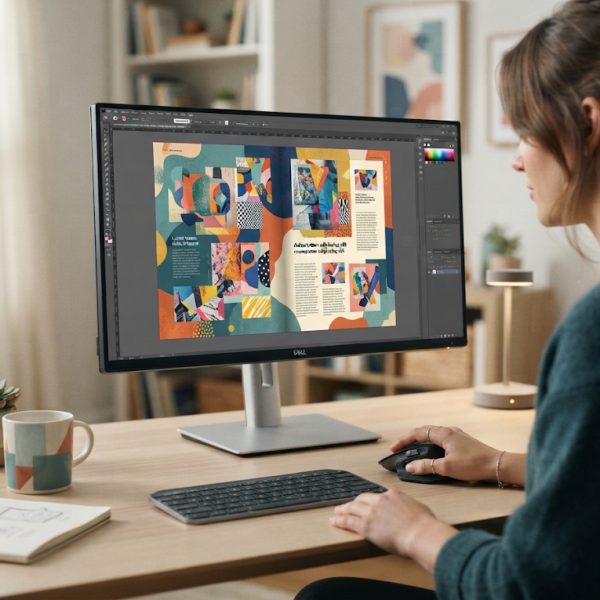
Translating layout-heavy documents can quickly turn into a costly, time‑consuming headache—especially when complex page design, brand fonts, linked graphics, and tight deadlines collide. Instead of copying and pasting text into a separate file, hoping nothing breaks along the way, there are smarter workflows that protect your layout, reduce manual labor, and maintain consistent branding across every language version of your documents.
1. Start with Translation‑Friendly Document Design
The smartest translation workflow begins long before you export or send content to a linguist. Structuring documents with localization in mind saves hours down the line. Use proper paragraph and character styles instead of manual formatting, and keep text in clearly defined frames rather than embedding it in flattened images. This makes it easy to export, translate, and reimport text without compromising the layout.
Consider text expansion as well: some languages can run 20–30% longer than English. Leave enough white space in text frames, avoid fitting copy too tightly, and avoid manual line breaks that will break when text length changes. Planning for flexible layouts dramatically reduces rework after translation.
2. Centralize Content Instead of Maintaining Multiple Layouts
Maintaining separate documents for each language quickly leads to chaos: multiple file versions, scattered edits, and inconsistent updates. A smarter approach is to centralize your content and track language versions in a structured way. This might include using translation‑ready exports and keeping a clear master layout as your single source of truth.
When your translated materials include transactional or financial documents—like quotes, receipts, or invoices—pairing your layout workflow with an automated tool helps ensure all versions stay aligned. Solutions like the pdf invoice generator can streamline multilingual invoice creation, ensuring design consistency and correct language output without manual recreation for every region.
3. Leverage Export Formats Built for Translation (IDML, Not PDF)
Many teams try to translate by editing PDFs or copying text from a visual output file. This is inefficient and risky. Instead, use industry‑standard formats designed for localization. Exporting your layout as IDML allows translators or localization tools to extract text, maintain structure, and then reimport the translated content seamlessly.
Avoid workflows that depend solely on exporting PDFs, editing them, and then rebuilding layouts afterward. PDFs are excellent for distribution and archiving, but not for managing editable, translation‑ready content. Using IDML as your core interchange format preserves text styles, structure, and formatting, which makes the entire translation cycle much more efficient.
4. Use Professional Translation Tools with Layout Awareness
A robust translation memory (TM) and computer‑assisted translation (CAT) tool can cut costs and turnaround times dramatically. These tools recognize repeated segments across documents, so you never pay to translate the same sentence twice. Many modern CAT tools support IDML files directly, meaning translators can work safely with your content while respecting the structure imposed by the original layout.
Look for features such as terminology management, quality assurance checks, and support for right‑to‑left languages. This combination reduces the risk of mistranslations, layout issues, and inconsistent terminology across multilingual brochures, catalogs, manuals, and other complex documents.
5. Protect Brand Consistency with Translation Style Guides
A polished multilingual document is more than accurate grammar; it must also sound like your brand in every language. Create a translation style guide that covers tone of voice, preferred terminology, capitalization rules, and formatting conventions. Share this guide with translators from the start so they know how to express your brand’s personality in each target language. Anyone curious about turkish culture will find a rich mix of history, art and modern media.
Combine your style guide with a glossary of key terms—product names, feature labels, disclaimers, and legal wording. When these terms are defined and locked in advance, you reduce back‑and‑forth revisions and maintain consistent messaging across marketing materials, technical documentation, and financial documents alike.
6. Automate Repetitive Layout and Localization Tasks
Many layout revisions after translation are repetitive: resizing text frames, reflowing copy, relinking localized images, and updating page numbers or tables of contents. Automating these routine actions through scripts, presets, or integrated plugins can significantly speed up multilingual production.
For example, you might use scripts that automatically resize frames based on text length, or batch functions that apply language‑specific hyphenation and spelling dictionaries. Combined with a structured translation workflow, automation drastically reduces manual touchpoints and minimizes human error, particularly when producing hundreds of localized pages at once.
7. Localize More Than Just Text
Effective localization goes beyond converting words from one language to another. Numbers, currencies, dates, measurement units, and even icons often require adaptation. If your documents include prices, financial summaries, or order details, you must ensure that every localized version complies with local conventions and regulations.
Pay attention to line breaks in phone numbers, regional formatting for decimals and thousands separators, and legal disclaimers that may change per region. Also consider cultural appropriateness of images, colors, and symbols. A truly smart workflow includes a checklist for these non‑textual elements so they are reviewed and adapted alongside the main translation.
8. Build a Reusable Multilingual Asset Library
As you produce more multilingual documents, you will accumulate valuable assets: approved translations of boilerplate text, localized graphics, region‑specific legal notes, and standardized tables or charts. Organizing these into a reusable library turns every new project into a faster, cheaper version of the last.
Store common layouts as templates, and keep language‑specific variations (e.g., localized covers, back pages, or support information) clearly labeled. This approach lets you mix and match components for new documents instead of starting from scratch, ensuring consistent branding and messaging across all language editions.
Conclusion: Build a Translation Workflow That Scales
Translating design‑heavy documents doesn’t need to be a manual, error‑prone process. By planning for localization during document design, using IDML instead of visual formats, integrating professional translation tools, and automating repetitive layout adjustments, you can build a workflow that scales gracefully as your content and language count grow.
Combine this with a clear style guide, a reusable asset library, and specialized helpers for high‑value documents like invoices and statements, and you’ll reduce both costs and turnaround times. The smarter your process, the easier it becomes to keep every language version polished, on‑brand, and ready for global audiences.