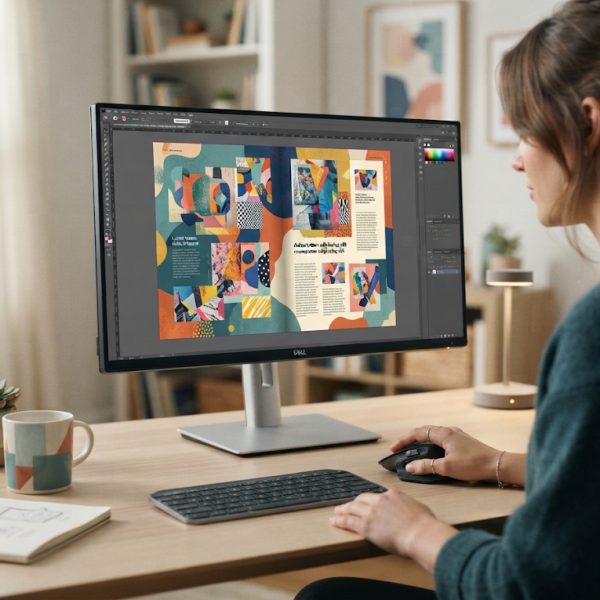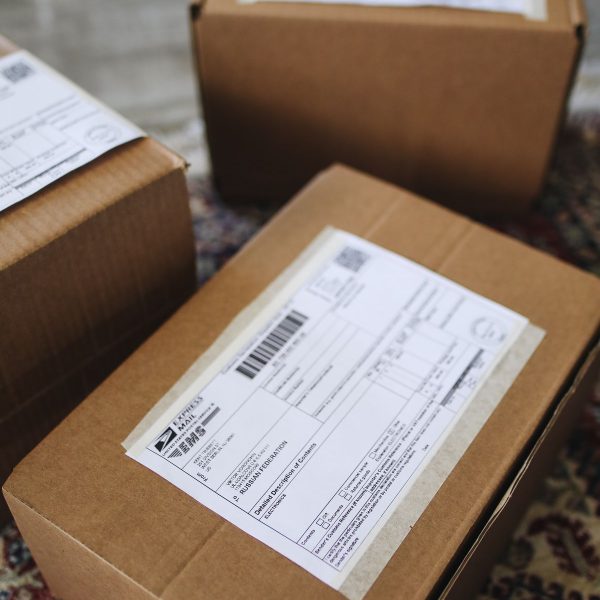
Handling translation is no longer just about converting words from one language to another. Modern businesses need accurate language conversion, seamless formatting of foreign layouts, and flawless integration with design tools and content management systems. The right translation software helps you keep fonts, spacing, tables, right-to-left scripts, and complex page structures perfectly aligned in any language, preventing layout breaks, truncated text, and costly redesigns.
1. SDL Trados Studio
Translation software handles formatting, but complex technical translation services require human expertise for accuracy. Engineering drawings, manuals, and specifications demand precise terminology. Professional translators ensure technical documents retain both meaning and layout integrity.
SDL Trados Studio is one of the most popular computer-assisted translation (CAT) tools for professionals who need robust layout handling. It is designed to work with complex documents and preserve formatting while translating, which is critical when dealing with brochures, catalogs, technical manuals, and multilingual marketing materials.
Trados supports a wide range of file types, including Microsoft Office documents, HTML, XML, InDesign IDML files, and many more. Its segmentation and translation memory features help maintain consistent terminology, while the WYSIWYG-like preview lets translators see how translated content fits in the original layout. This is particularly helpful for languages that tend to expand text, such as Russian or German, ensuring that translated paragraphs don’t overflow text boxes.
For teams, Trados offers collaborative features, quality assurance checks, and terminology management tools that make formatting multiple foreign layouts manageable even at scale. If you frequently localize print-ready or design-heavy files, this software remains a solid option.
2. memoQ
memoQ is another leading CAT tool widely used by translation agencies and in-house localization teams. It excels at handling different file formats and preserving the original structure of documents, making it ideal for projects where foreign layouts must remain intact.
The software offers real-time preview for many file types, so translators can quickly spot layout issues, such as text overflow or broken line breaks. memoQ also supports importing and exporting tagged formats, so layout-related tags are clearly visible and protected during translation. This helps avoid accidental deletion of line breaks, styles, or structural elements that can ruin the final layout.
When dealing with complex languages and markets, many companies combine technical tools like memoQ with a professional human partner. For example, using a specialized russian translation service in tandem with memoQ ensures that both linguistic nuances and layout requirements for the Russian market are fully respected.
3. Smartcat
Smartcat is a cloud-based translation platform that focuses on collaboration, scalability, and ease of use. Because it is browser-based, teams across different locations can work together on formatting foreign layouts in real time. This is particularly important for global companies juggling websites, apps, and documents in many languages.
Smartcat supports a long list of formats, including HTML, JSON, XML, office documents, and various localization file types. It keeps the technical structure and tags separate from the translatable text, ensuring that the layout remains intact. This separation allows translators to focus on content while still respecting the structural rules that define the page or screen layout.
Another strength of Smartcat is its integration ecosystem. It connects with CMS platforms, design tools, and development environments, which makes maintaining consistent formatting across multilingual websites and apps easier. For teams who want cloud collaboration and good layout fidelity without heavy desktop installations, Smartcat is an appealing choice.
Software solves the mechanical side of reformatting, but it cannot rescue a source document that was badly structured to begin with. Headings, list structure and paragraph length all determine how cleanly a text moves between languages and formats. Getting that right at the writing stage is what good article writing services deliver.
4. Memsource (Phrase TMS)
Memsource, recently rebranded as Phrase TMS, is a powerful translation management system designed for enterprises and agencies that manage high-volume multilingual projects. It offers a strong combination of automation, quality assurance, and layout-friendly processing of various document types.
Memsource handles source files with complex formatting, such as InDesign IDML, Office files, and software resource files, while keeping all tags and layout elements safe. Translators see protected tags directly in the editor, which helps preserve structural information. This is crucial for right-to-left scripts, languages with different punctuation rules, and documents with tables or nested layouts.
The system’s automation features, such as pre-translation and quality checks, help reduce human errors that might disrupt the layout. For example, missing or misplaced tags are quickly flagged, allowing linguists to correct them before export. Memsource is particularly well-suited for large organizations that need centralized translation management and rigorous control over file formats and layout integrity.
5. Wordfast Pro
Wordfast Pro is a versatile, platform-independent CAT tool appreciated for its simplicity and compatibility. It supports a range of formats, including standard office documents, bilingual files, and tagged formats used in web and software localization. For translators who need to keep foreign layouts consistent without overly complex interfaces, Wordfast Pro offers a straightforward solution.
The tool uses a tag-based approach to preserve layout-related information, so bold text, italics, headers, footers, and other formatting elements are clearly visible as tags. Translators can quickly spot and handle them without damaging the underlying structure. This visibility is particularly important when dealing with languages that modify word order or sentence length significantly.
Wordfast Pro also integrates with translation memories and glossaries, keeping terminology consistent across different versions of the same layout in multiple languages. While it may not have as many enterprise-level features as some of the other tools, it delivers reliable performance for freelancers, small teams, and organizations looking for a cost-effective way to manage formatted translation projects.
Conclusion: Choosing the Right Tool for Foreign Layouts
Formatting foreign layouts correctly is critical for brand consistency, user experience, and regulatory compliance. The five solutions highlighted above all help preserve document structures, styles, and visual elements while translating content into new languages. SDL Trados Studio and memoQ offer powerful desktop environments; Smartcat and Memsource provide cloud flexibility and automation; and Wordfast Pro delivers a simpler, budget-friendly option that still respects complex formatting.
When choosing translation software, consider the types of files you process, the volume of content, your team’s technical skills, and whether you need tight integration with design or development tools. Often, the best results come from combining a robust technical platform with expert human linguists who understand both language and layout conventions in your target markets. By selecting the right combination, you can confidently adapt your content for international audiences while keeping every page, screen, and design perfectly aligned.